AI Writing Tools (2026): What to Use, When to Use It, and What to Avoid
Choose the right AI writing tools in 2026. See what to use, when each tool fits, what to avoid, and how to edit AI drafts for safer SEO and AI Search.

Most AI writing tools in 2026 are good enough to be useful and easy enough to misuse.
That is the awkward truth I keep coming back to. The tool can make a blank page less painful. It can summarize messy notes, draft an email, turn a loose idea into an outline, and clean up a rough paragraph in seconds. It can also produce confident, polished writing that says very little.
So I do not think the useful version of this article is a giant list of every AI writing app with a pricing page. The better question is simpler: what should you use, when should you use it, and what should you avoid if you care about quality?
TL;DR: The practical answer
Use AI writing tools for structure, options, speed, cleanup, and repetitive writing tasks. Do not use them as a replacement for judgment, facts, voice, or lived experience.
If I were building a simple AI writing stack in 2026, I would use:
| Need | Best fit | Why it works |
|---|---|---|
| Everyday drafting and editing | WritingTools.ai | One workflow for generating, rewriting, polishing, and checking different content formats. |
| Blog drafts and article structure | AI Article Writer | Useful when you already know the angle, audience, and evidence the article needs. |
| Brainstorming and alternate angles | ChatGPT or Claude | Flexible for thinking through outlines, hooks, examples, and rough rewrites. |
| Fact checking and source discovery | Research-first AI tools or manual search | Better for verifying claims than for final prose. |
| Final cleanup | Grammar Checker and manual editing | Grammar is only the last layer; accuracy and usefulness come first. |
| Making AI text sound less flat | AI Humanizer | Best as a finishing pass, not a substitute for adding a real point of view. |
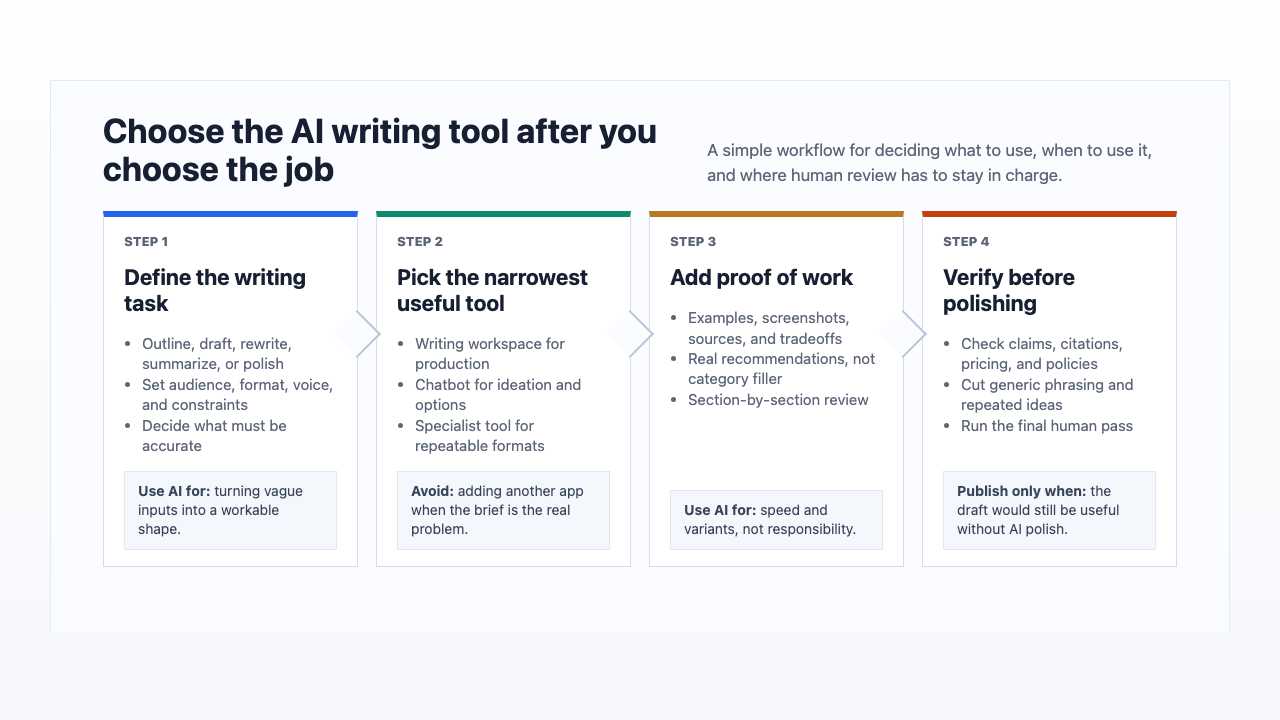
The biggest mistake I see is choosing the tool before choosing the job. Pick the writing task first, then choose the tool that removes the most friction from that task.
What AI writing tools are actually good for now
AI writing tools are best at helping with the middle of the writing process.
They are not magic author buttons. They are better as assistants that help you move from vague idea to usable draft, then from usable draft to clearer final copy.
The strongest use cases are:
- Turning raw notes into an outline
- Generating headline, intro, email, or ad variants
- Summarizing transcripts, calls, documents, and research notes
- Rewriting a stiff paragraph in a clearer style
- Expanding a thin section after you provide the missing details
- Creating first drafts for repetitive formats like product descriptions, FAQs, emails, SOPs, and briefs
- Checking grammar, tone, and readability before publishing
The weak use cases are the ones that require responsibility more than speed: expert advice, original reporting, personal stories, sensitive topics, and claims that could hurt someone if they are wrong. In my experience, this is where teams overestimate AI the most. The prose looks calm, so the risk feels smaller than it is.
Google's guidance on using generative AI content is a useful reality check here. AI content is not automatically a problem. Thin, unoriginal, search-first content is the problem. That distinction matters because it moves the conversation away from "was AI used?" and toward "does this page actually help?"
The 2026 AI writing stack I would use
You do not need twelve subscriptions. I would rather see someone use three tools well than keep a folder full of shiny accounts they barely understand. Most people need one main writing workspace, one flexible thinking partner, and one way to verify claims.
1. WritingTools.ai for everyday writing production
WritingTools.ai makes the most sense when you want one place to draft, rewrite, polish, and finish practical writing. That matters because real writing work rarely happens in one clean step.
You might start with a rough idea, turn it into an outline, draft a section, rewrite the intro, check grammar, shorten the conclusion, and make the final version sound less generic. A tool that supports that full loop is more useful than a tool that only generates a first draft.
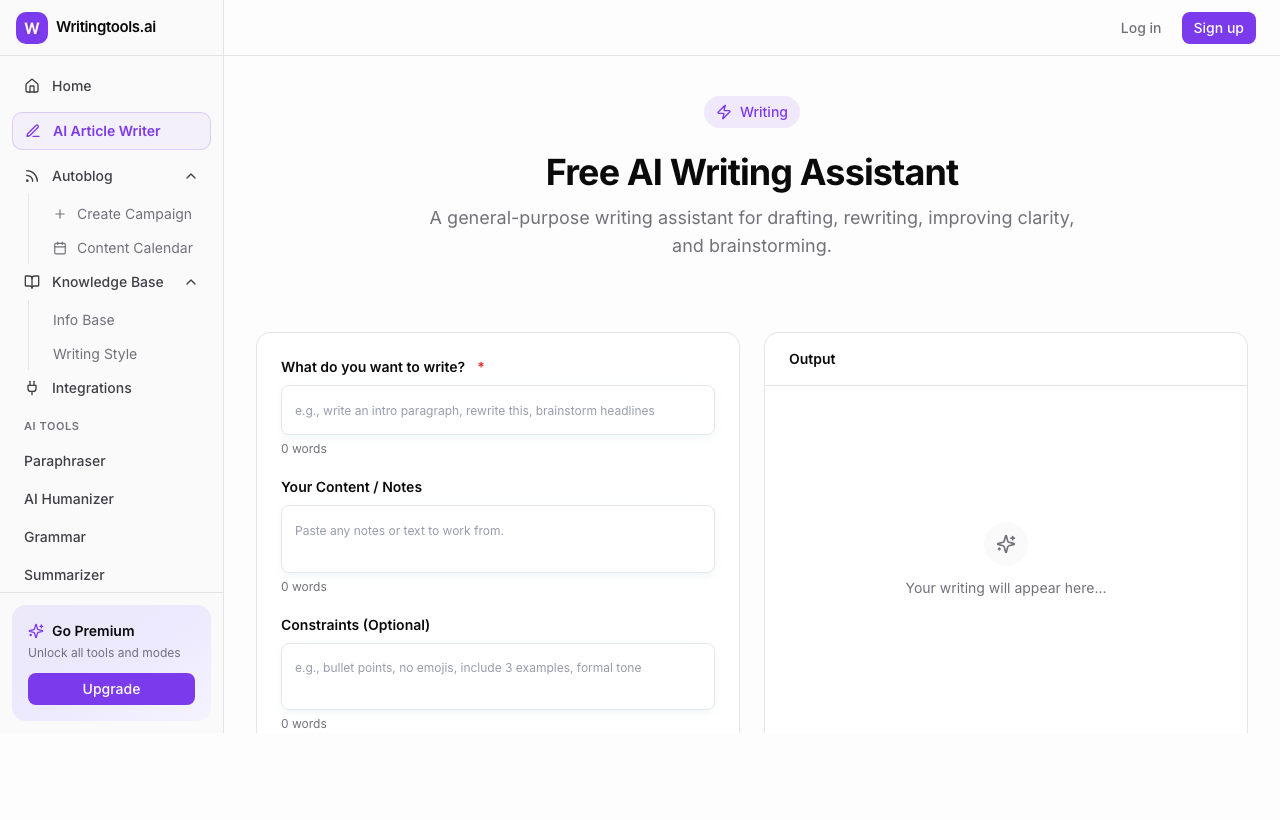
For example, the AI Writing Assistant is useful when the page is still loose and you need to shape the assignment before you write. I would use it for blog outlines, landing page sections, emails, product copy, or internal docs where the structure matters as much as the wording.
For longer SEO content, an article tool can save time, but only if you provide a real brief. The AI Article Writer should not be treated as a "publish this immediately" button. Give it the reader, search intent, target angle, sources, examples, internal links, and sections you do not want. The better the brief, the less generic the draft.
2. ChatGPT or Claude for thinking through ideas
General chatbots are still useful because they are flexible. I like them most before the draft hardens, when the work is still about thinking rather than polishing. They are good for shaping ideas, testing angles, asking "what am I missing?", rewriting a section three ways, or turning a messy note into a usable plan.
Ask for outlines, counterarguments, examples, possible objections, title angles, and structure options. Then choose what fits the reader.
The risk is that these tools can sound confident even when the claim is weak. That is why I would avoid using them as the final authority for facts, citations, product pricing, legal details, medical advice, or financial recommendations.
3. Specialized tools for repetitive tasks
Specialized AI tools work well when the format is obvious.
If you need five email options, use an email tool. If you need ad variations, use an ad copy tool. If you need to rewrite a paragraph without changing the meaning, use a rewriting tool. The benefit is not that the tool is smarter than a general chatbot. The benefit is that the structure is already set.
A few practical examples:
- Use a Paraphrasing Tool to improve your own awkward draft, not to disguise someone else's work.
- Use an AI humanizer when the content already has a point but sounds too smooth or formulaic.
- Use a grammar checker after the content is accurate, specific, and structured.
The order matters. I have never seen grammar cleanup rescue a draft with no point. It just gives you polished vagueness.
4. Research tools for verification, not voice
Research-focused AI tools can be useful for finding sources, summarizing documents, and checking whether a claim has support. They are usually not where I want the final writing voice to come from.
This is especially important for AI-assisted articles. If you mention a statistic, study, product claim, pricing detail, legal rule, medical statement, or platform policy, verify it outside the draft.
The Stanford 2026 AI Index is a good example of the kind of source worth using when you need context on AI adoption or market behavior. It is better to cite one relevant, reputable source than to sprinkle in five weak references just to look researched.
What to use AI writing tools for
Here is the task-by-task version.
| Task | Use AI? | Best way to use it |
|---|---|---|
| Blog post outline | Yes | Generate structure, then revise around search intent and reader need. |
| Full article draft | Yes, with limits | Draft section by section and add examples, sources, and original judgment. |
| Email writing | Yes | Generate options, then rewrite the opener and CTA yourself. |
| Ads and landing pages | Yes | Use variants for testing, but keep the claim and offer human-reviewed. |
| Product descriptions | Yes | Good for scale; verify specs and avoid duplicate phrasing. |
| Fiction or personal essays | Sometimes | Useful for brainstorming, weaker for lived emotion unless heavily guided. |
| Legal, medical, or financial advice | Only with expert review | Treat AI as a drafting assistant, not an authority. |
| Citations and research | Carefully | Use AI to find leads, then open and verify the original source. |
The most useful AI writing workflows have one thing in common: the human still owns the decision.
AI can give you ten versions of an intro. You decide which one matches the reader. AI can suggest a content structure. You decide what deserves to be included. AI can rewrite a sentence. You decide whether the meaning survived. That ownership is the difference between using AI as leverage and letting it flatten your work.
What to avoid
Avoid one-click publishing
One-click publishing is where most AI content goes wrong.
The first draft often looks finished because it has headings, transitions, and a neat conclusion. That is exactly why I distrust it. The surface polish hides missing work: no real examples, no original recommendation, no checked claims, no practical tradeoffs, and no proof that the writer understands the topic.
Before publishing an AI-assisted article, add:
- A real recommendation
- A concrete example
- A limitation or tradeoff
- A source for important claims
- A detail only someone familiar with the task would include
- A final edit for repetition and generic phrasing
If the draft could appear on five other websites with only the brand name changed, it is not ready.
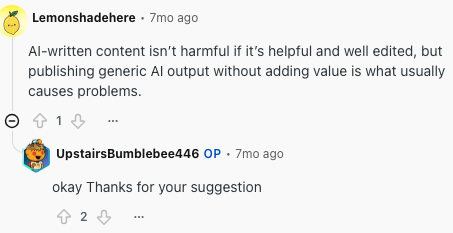
The pattern is familiar to editors and SEOs: AI assistance is not the issue; generic output with no added value is.
Avoid fake expertise
AI can imitate expert language quickly. That does not make the output expert.
This is the trap with high-stakes topics. The article may sound calm, organized, and authoritative while quietly skipping the part where someone checks whether the advice is true. Personally, I would rather publish a shorter, clearly bounded article than a confident draft that wanders into advice the writer cannot defend.
For safer AI-assisted writing, follow a simple rule: the more a reader could be harmed by bad advice, the more human expertise you need before publishing.
That is also why responsible use matters. A separate set of responsible AI writing guidelines is useful when you are deciding what AI can draft, what needs disclosure, and where human review is non-negotiable.
Avoid citation theater
Some AI drafts include citations that look legitimate but do not support the claim, point to weak sources, or do not exist.
This is worse than having no citation because it creates false confidence. If a claim needs evidence, open the source and check it yourself. If the source does not directly support the sentence, rewrite the sentence or remove the citation. A citation should reduce uncertainty, not decorate a paragraph.
This also applies to plagiarism risk. AI can produce text that resembles common phrasing from its training data or closely mirrors source material after a weak paraphrase. If originality matters, use the article on AI writing and plagiarism as a guardrail, then do a manual review of any borrowed ideas, quotes, and source-dependent sections.
Avoid "humanizing" a weak draft
Humanizers can help with tone, but they cannot create substance.
If the draft has no argument, no examples, and no useful structure, making it sound more casual will not fix it. I treat humanizers like sandpaper, not lumber. You need to improve the thinking first. Then use a humanizer or rewrite tool as a finishing pass.
A good test: remove the stylistic flourishes and ask whether the paragraph still says something useful. If not, the issue is not tone. It is emptiness.
Avoid tool hopping
Tool hopping feels productive because every new app has a different interface and a slightly different promise. But most writing problems are not solved by another subscription. Usually, the boring fix is the right one: clearer inputs, tighter constraints, and more honest editing.
If the output keeps disappointing you, improve the inputs first:
- Define the reader
- Give the tool examples
- Add constraints
- Ask for a specific format
- Tell it what to avoid
- Work section by section
- Edit the result yourself
The best tool cannot rescue a vague assignment.
How to choose the right AI writing tool
Start with the writing job, not the product category.
Ask these questions before you pay for another tool:
| Question | What it tells you |
|---|---|
| What will I use it for every week? | Occasional curiosity rarely justifies another paid tool. |
| Does it improve the draft or only generate more text? | Editing support is often more valuable than raw generation. |
| Can it follow my voice and format? | Generic output creates more cleanup work. |
| Does it support verification? | Research-heavy content needs source discipline. |
| Does the free tier cover my real use? | Free trials and limited free tiers are not the same thing. |
| Does it fit my current workflow? | A powerful tool you never open is not useful. |
The free-versus-paid question deserves special attention. A free AI writing tool can be enough for occasional brainstorming, short rewrites, or basic cleanup. Paid tools make more sense when you need higher limits, better workflows, team features, templates, brand controls, or consistent production.
The practical difference between free and paid AI writing tools is usually not "bad versus good." It is limits, workflow, support, and how much cleanup the tool saves you. My test is simple: if the paid tool does not reduce repeated work within a week or two, I would not keep it.
A simple workflow for better AI-assisted writing
Here is the workflow I trust most.
1. Write the brief before the draft
Give the tool the reader, goal, format, tone, must-cover points, sources, examples, and exclusions.
Weak prompt:
Write a blog post about AI writing tools.
Better prompt:
Write an outline for a practical 2026 guide to AI writing tools for bloggers, freelancers, and small marketing teams. Focus on what to use, when to use each tool, what to avoid, and how to edit AI drafts before publishing. Avoid hype, generic AI claims, and long tool descriptions. Include sections for verification, plagiarism risk, free vs paid tools, and final editing.
The second prompt is not complicated. It is specific. That is the whole advantage.
2. Draft in sections
Full-article generation often creates a bland average of the internet. Section-by-section drafting gives you more control.
Ask for one section. Review it. Add missing details. Then move to the next section. It is slower than pressing one button, but it is usually faster than repairing a 2,000-word draft that went in the wrong direction.
3. Add proof of work
Proof of work is the difference between "AI can help writers save time" and "here is the exact workflow I would use to turn a transcript into a publishable article."
Add examples, screenshots, sources, constraints, use cases, mistakes, and decision rules. If the article makes a claim about accuracy, make the verification process visible.
This is where many AI drafts fail. They explain the category but do not show the work. Readers can feel that absence even when they cannot name it.
4. Edit for accuracy before style
Do not start by making the article sound nicer. Start by checking whether it is true.
The article on where AI writing tools fail and how to verify output is relevant because the failure points are often predictable: invented facts, stale product details, made-up citations, missing context, and overconfident summaries.
Once accuracy is handled, edit for structure, rhythm, clarity, and voice. I prefer that order because style edits can make weak claims feel more convincing than they deserve.
5. Run a final human pass
The final pass should remove the writing patterns readers now recognize instantly:
- "In today's fast-paced world"
- "Unlock the power of"
- "Seamlessly revolutionize"
- "It is important to note"
- Five-section explanations of obvious benefits
- Conclusions that repeat the introduction
I would also run a final review against this question: would I be willing to put my name on this if someone challenged the claims?
How AI writing tools affect SEO and AI Search
AI writing tools can help with SEO, but they can also make SEO worse if they tempt you into publishing generic pages at scale.
Google's spam policies specifically warn against scaled content abuse: creating many pages mainly to manipulate rankings rather than help users. The issue is not whether a page was written with AI. The issue is whether the page is original, useful, and made for people.
For AI Search visibility, the same principle applies. Google's guide to optimizing for generative AI features in Search says the foundation is still useful, accessible, well-structured content. In practical terms, that means your article should be easy to understand, easy to cite, and clear about the answer it provides.
For AI-assisted content, I would prioritize:
- A direct answer early in the article
- Clear definitions when a topic has ambiguity
- Tables that compare options or decisions
- Specific examples instead of broad claims
- Sources for important factual statements
- Original analysis, not just summaries of other pages
- Internal links that help readers continue the task
That is why a good AI writing article should not only list tools. It should help the reader choose, use, edit, and avoid mistakes. A listicle can rank apps. A useful guide changes the reader's next decision.
When AI writing tools are worth paying for
Pay for an AI writing tool when it removes repeated friction from work you already do.
It is worth paying if:
- You write every week
- You need higher usage limits
- You produce multiple formats
- You need templates, brand voice, or team workflows
- You want drafting, rewriting, grammar, and tone tools in one place
- The tool saves enough time that the subscription is obvious
It is not worth paying if:
- You only use it once a month
- You are still experimenting with basic prompts
- The free tier handles your real tasks
- You spend more time fixing the output than writing from scratch
- You keep paying because you forgot to cancel
The honest move is to audit your AI subscriptions every month or two. If a tool does not make your writing easier in a specific, recurring way, cancel it. I am fairly ruthless about this because unused writing tools create the illusion of a better workflow without actually improving the work.
Final recommendation
If you want a practical setup, keep it simple.
Use WritingTools.ai as the main writing and editing workspace. Use a general chatbot when you need to think through options. Use research sources when accuracy matters. Then edit the draft like a person who is responsible for the final page.
AI writing tools are best at momentum. They help you start faster, explore more options, and clean up rough text. But the value still comes from the human layer: the judgment, examples, verification, taste, and willingness to cut what sounds impressive but says nothing.
That is the real 2026 rule: use AI to move faster, but do not let it lower your standard.