How Accurate Are AI Writing Tools? Where They Fail and How to Verify Fast
Learn where AI writing tools are accurate, where they fail, and how to verify facts, citations, quotes, summaries, and claims before publishing.

AI writing tools are usually accurate at grammar, structure, tone changes, and rewriting text you already understand. They are not reliably accurate at facts, citations, quotes, legal or medical detail, product claims, recent changes, or anything that depends on hidden context.
That is the practical answer.
The risk is not that AI writing tools are always wrong. The risk is that they can be wrong while sounding polished, calm, and finished. A sentence can read beautifully and still contain a fake statistic, an outdated policy, a citation that does not exist, or a summary that quietly changes the author's point.
That is why I do not treat AI writing accuracy as a yes-or-no question. The better question is: which parts of the draft deserve trust, and which parts still need evidence?
TL;DR
- AI writing tools are strongest when the task is language work: grammar, tone, formatting, outlines, rewriting, and first drafts from material you provide.
- They fail most often on truth work: specific facts, numbers, citations, quotes, current information, source interpretation, and high-stakes advice.
- Treat every AI draft as unsourced until you verify the claims that matter.
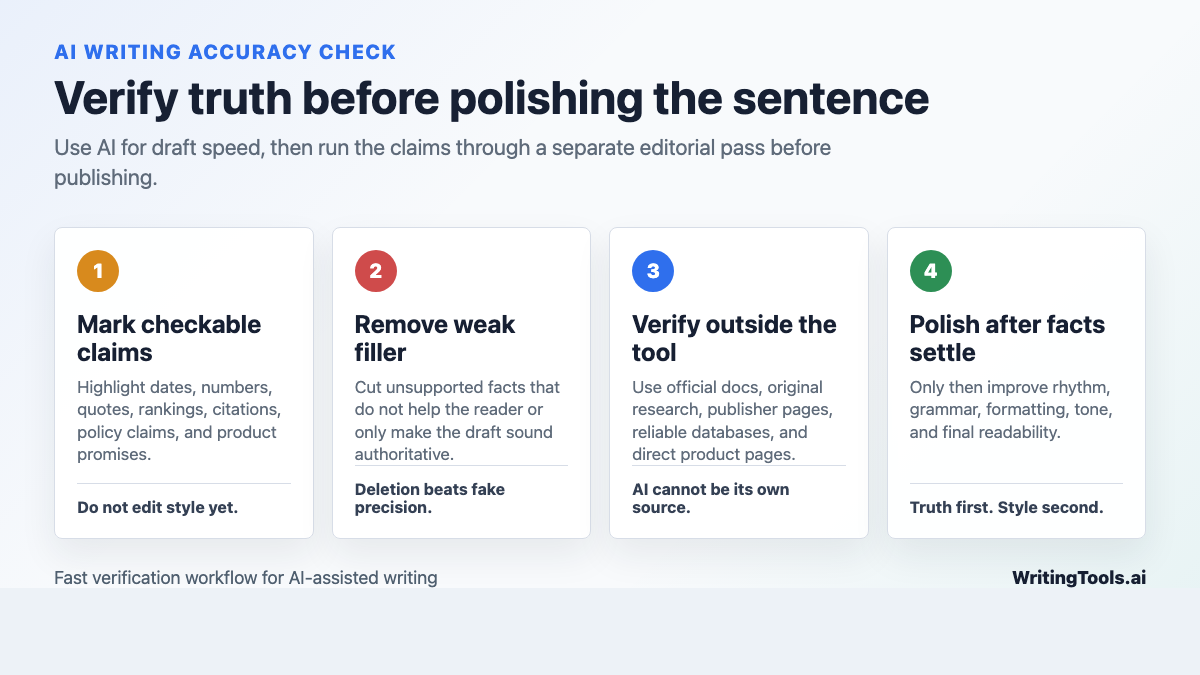
- The fastest workflow is: mark checkable claims, remove unsupported claims, verify important claims against reliable sources, then polish the writing.
- For publishing, separate drafting from fact-checking. AI can help you move faster, but it should not be the final authority on what is true.
The Short Answer: Accurate Language, Unreliable Truth
Most AI writing tools are built to predict plausible text. That makes them very good at creating a clean sentence that sounds like it belongs in the document.
It does not automatically make the sentence true.
OpenAI researchers' 2025 paper on hallucinations explains the problem plainly: language models can generate confident answers that are not true, and common evaluation systems can reward guessing instead of admitting uncertainty. Stanford HAI's 2026 AI Index also shows that reliability remains uneven; in one newer accuracy benchmark, hallucination rates across top models varied widely rather than disappearing. Those two points matter because they match what I see in day-to-day editing: better models reduce some mistakes, but they do not remove the need for verification. The failure rate may be lower, but the cost of a missed mistake can still be high.
Sources: Why Language Models Hallucinate and Stanford HAI 2026 AI Index on responsible AI.
Here is the simplest way I would rank AI writing accuracy before I let a draft move toward publication:
| Task | Typical accuracy | What to check |
|---|---|---|
| Grammar, spelling, punctuation | High | Whether the edit changed meaning |
| Tone adjustment | High | Whether the tone still fits the audience |
| Rewriting your own text | High to medium | Whether facts, emphasis, and structure stayed intact |
| Outlines and brainstorming | Medium | Whether the angle is generic or off-intent |
| Summarizing provided text | Medium | Whether nuance, conditions, and exceptions survived |
| Statistics, citations, quotes | Low unless verified | Source existence, source relevance, exact wording |
| "Latest" product, legal, medical, SEO, or policy claims | Low unless verified | Current official source, date, and context |
That table is not a scientific benchmark. It is an editorial triage system. I use it to decide where to spend verification time instead of checking every sentence with the same intensity.
Where AI Writing Tools Fail Most Often
1. Confident Hallucinations
This is the classic failure: the tool gives you a specific answer that sounds certain but is wrong.
You ask when a law, feature, product update, or research finding happened. It gives a date. The explanation sounds reasonable. The wording is clean. Nothing in the answer signals uncertainty.
That polish is the trap. A rough human draft often feels unfinished, so you naturally edit it. An AI draft can feel complete before it has earned that trust. Personally, this is the AI writing failure I worry about most because it lowers the reader's guard.
Fast verification move: highlight every sentence with a date, number, named source, product claim, quote, ranking, or "according to" phrase. If you cannot prove it quickly, either find a source or remove the sentence.
If you are drafting with an AI writing assistant, treat the output like a fast first draft, not a checked article. The tool can help with structure and momentum, but factual responsibility still sits with the person publishing.
2. Fake or Misleading Citations
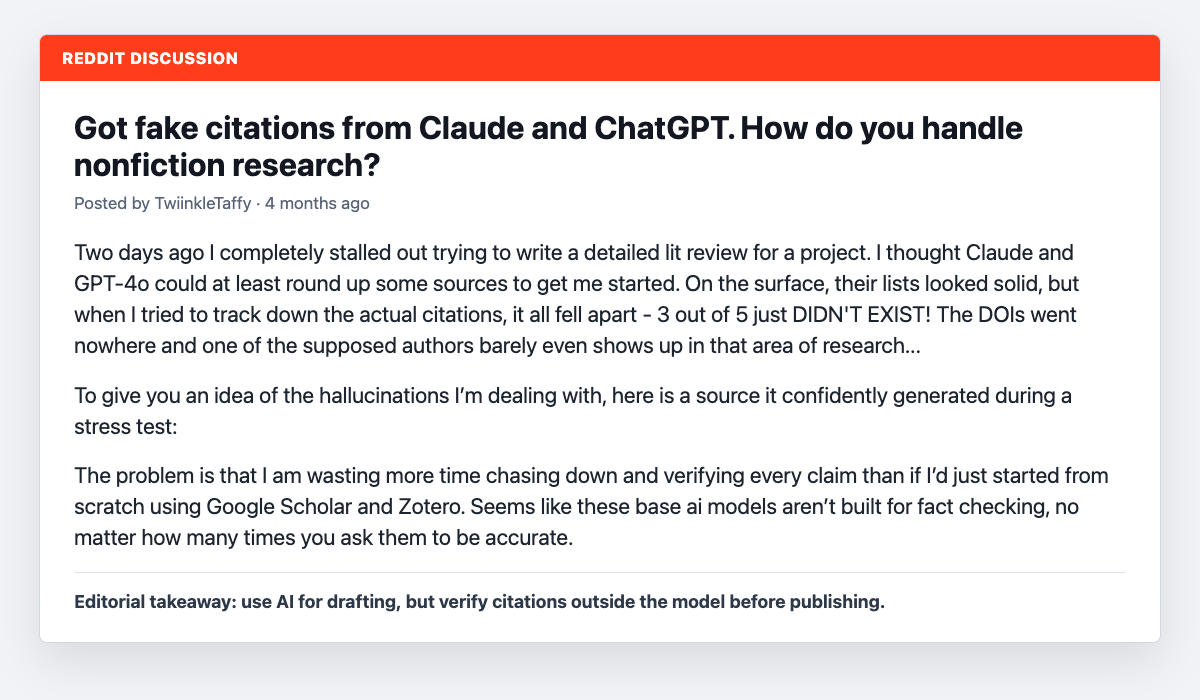
Fake citations are one of the most damaging AI writing failures because they look professional. The author name may be real. The journal may be real. The year may be plausible. The title may sound exactly like something that should exist.
Then you search it and find nothing.
Or worse, the source exists but does not support the claim. That is harder to catch because the citation passes the first test but fails the important one. In my experience, this second version is more dangerous than an obviously fake reference because it gives everyone permission to stop looking.
Use a two-step citation check:
- Existence: Does the source exist with the same author, title, year, publisher, DOI, or URL?
- Support: Does the source actually say what the AI draft claims it says?
For academic work, search the exact title in Google Scholar, a library database, the publisher's site, DOI.org, or Crossref. A citation generator is useful only after you already have real source details. It should format known sources, not invent them.
3. Summary Drift
Summary drift happens when the AI compresses a source so aggressively that it changes the meaning.
The original says:
This approach can work in narrow cases, but it is risky without review.
The summary says:
The author says this approach works.
That is not shorter. It is different. And different is the problem.
This problem shows up in article summaries, research notes, meeting recaps, and academic writing. AI often drops the "unless," "however," "not always," and "in limited cases" parts because they make the summary less tidy.
Fast verification move: compare the AI summary against the original using three questions:
- Did it preserve the author's stance?
- Did it keep the important conditions and exceptions?
- Did it add a claim that was not in the original?
A summarizer can save time, but the final check should focus on meaning, not just length.
4. Outdated Information
AI writing tools often produce evergreen-sounding advice for topics that are not evergreen. This is where a draft can feel helpful while quietly being out of date.
That is dangerous for:
- SEO and Google Search guidance
- platform features and pricing
- AI model capabilities
- legal requirements
- medical or financial advice
- product comparisons
- academic policy
Google's guidance on using generative AI content is a useful example. The practical question is not whether a sentence was AI-generated; it is whether the content is helpful, original, and not scaled to manipulate search results. If an AI draft gives you an old or oversimplified version of that policy, the article can become misleading fast. I would rather leave a policy claim out than publish a confident half-memory of it.
Sources: Google Search guidance on AI-generated content and Google's documentation on using generative AI content.
Fast verification move: for time-sensitive claims, check the official source first. Do not use an AI answer as the source for a policy, feature, price, or deadline.
5. Fabricated Numbers
AI-generated drafts love numbers because numbers make weak writing look credible.
Watch for claims like:
- "73% of marketers..."
- "Most businesses..."
- "Studies show..."
- "Research proves..."
- "The average user..."
If there is no source, treat the number as false until proven otherwise.
Sometimes the best edit is not finding a replacement statistic. It is deleting the claim. A sourced, narrower sentence is stronger than a dramatic number nobody can verify. Most articles improve immediately when those fake-precise numbers disappear.
6. Bias and Missing Context
Accuracy is not only about dates and citations. It is also about framing.
AI writing tools can flatten complex issues, repeat stereotypes from training data, ignore minority cases, or present a single cultural assumption as if it applies everywhere. Stanford HAI's 2026 AI Index frames this as part of a broader responsible AI problem: model capability is moving faster than many evaluation, governance, and measurement systems can comfortably track.
This is not always a loud factual error. Sometimes it is a missing caveat, a missing audience, or a recommendation that only works for one kind of reader.
Source: Stanford HAI 2026 AI Index on responsible AI.
Fast verification move: ask what viewpoint, audience, location, or exception is missing. If the draft gives universal advice, look for cases where the advice would fail.
7. Paraphrasing That Stays Too Close
AI paraphrasing can look original at sentence level while keeping the same structure, flow, and sequence as the source.
That is a problem for plagiarism, academic integrity, and plain editorial quality. A weak paraphrase changes words. A strong rewrite changes the structure, emphasis, examples, and explanation while preserving the meaning. I tend to judge paraphrases by structure first, not vocabulary, because copied structure is where many "rewrites" still feel borrowed.
If you use a paraphrasing tool, check the output against the source for sentence order, unique phrasing, and argument flow. For a deeper risk check, the same issue connects to what actually gets flagged in AI writing and plagiarism checks.
A Practical Verification Workflow
You do not need to turn every AI-assisted article into a week-long research project. You do need a repeatable check that catches the mistakes most likely to hurt trust.
Step 1: Mark Every Checkable Claim
Read the draft once and mark anything that can be checked:
- dates
- numbers
- rankings
- product features
- policy claims
- source names
- quotes
- definitions with legal, medical, academic, or technical meaning
Do not start polishing yet. At this stage, you are finding risk. It feels slower, but it prevents the worst kind of wasted work: beautifully editing claims you later have to delete.
Step 2: Sort Claims by Stakes
Not every claim needs the same amount of proof.
| Claim type | Verification standard |
|---|---|
| Low-stakes general writing advice | Check for reasonableness and clarity |
| Product or pricing claim | Verify on the official product page |
| SEO or platform policy | Verify on the official documentation |
| Academic claim | Verify in the source, database, DOI record, or publisher page |
| Legal, medical, or financial claim | Use authoritative sources or remove from a general article |
| Quote | Search the exact phrase and confirm the source context |
This keeps the process sane. You do not need a footnote for "shorter paragraphs are easier to scan." You do need proof for "this tool reduced errors by 42%."
Step 3: Remove Weak Claims Before You Research
This is the step most people skip.
Before you spend time hunting sources, ask whether the claim deserves to stay. If it is generic, decorative, or only there to sound authoritative, delete it.
AI drafts often contain "credibility filler": facts, percentages, and source-like phrases that do not actually help the reader. Cutting those lines makes the article easier to verify and usually improves the writing. This is one of the rare edits that makes a piece both safer and sharper.
Step 4: Verify Important Claims from Outside the AI Tool
Use the AI tool to help organize questions, but do not make it the final checker of its own claims.
For important claims, verify against:
- official documentation
- original research
- government or institutional sources
- publisher pages
- reputable databases
- direct product pages
- your own customer, project, or analytics data
For citations, check both the reference and the claim it supports. A real source attached to the wrong claim is still a bad citation.
Step 5: Check Internal Consistency
AI drafts often contradict themselves quietly.
Look for:
- a list that promises three steps and gives four
- a tool described as free in one section and paid in another
- a definition that changes halfway through
- a conclusion that overstates what the article proved
- examples that do not match the advice
This is where a human editor is faster than another prompt. You can ask AI to check consistency, but I would not outsource the final judgment to the same kind of system that created the inconsistency.
Step 6: Polish Only After the Facts Are Stable
Once the facts are clean, then polish. This order matters.
A grammar checker is useful at the end because grammar and clarity tools are usually strongest after the article's meaning is already correct. If you polish first, then fact-check later, you may waste time perfecting sentences that need to be removed.
For longer posts, I would also run the piece through a fuller AI article editing checklist before publishing.
Prompt Lines That Reduce Accuracy Problems
Prompting will not eliminate hallucinations, but it can reduce avoidable mistakes.
Use lines like these:
- "If you are unsure about a fact, say you are unsure. Do not guess."
- "Do not include statistics unless you can name the source, year, and context."
- "Use [SOURCE NEEDED] for any claim that requires verification."
- "Ask clarifying questions before writing if the topic depends on missing context."
- "Separate facts from recommendations."
- "Do not create citations. I will provide the sources."
- "If a source is needed, tell me what kind of source to find."
The most useful prompt is often the least glamorous one: ask the tool to expose uncertainty instead of sounding complete. A draft with visible uncertainty is easier to edit than a draft pretending every sentence is settled.
How to Verify AI Writing by Use Case
SEO Blog Posts
AI can be helpful for SEO content because it speeds up outlines, section drafts, examples, and rewrites. The risk is that it also produces vague "best practice" advice, fabricated statistics, and outdated Google interpretations.
Verify:
- search guidance against Google documentation
- product claims against official product pages
- statistics against the original report
- examples against the page's actual search intent
For SEO publishing, follow responsible AI writing guidelines: use AI for speed, then add human judgment, source checks, original examples, and a real editorial point of view. My bias here is simple: SEO content that cannot survive a source check should not be published just because it reads fluently.
Academic Writing
The biggest risks in academic writing are hallucinated references, unsupported claims, and paraphrases that stay too close to the source.
If you use an AI essay writer, keep the workflow separated:
- brainstorm and outline
- gather real sources
- draft from your notes
- verify citations
- revise in your own voice
Do not ask the tool to invent a bibliography. Build the bibliography from sources you have actually opened. In academic writing, a neat reference list is worthless if the sources are imaginary or misused.
Business Plans and Case Studies
AI can make business writing look confident before the business logic is real.
Check:
- market size
- customer claims
- financial assumptions
- timelines
- client quotes
- case study results
- before-and-after metrics
A business plan generator or case study generator can help with structure, but your actual numbers should come from research, interviews, analytics, sales data, or project records. This is not just accuracy hygiene; it is the difference between a useful plan and a polished guess.
Marketing and Ad Copy
Accuracy problems in marketing copy often show up as overpromising.
The draft may claim the product is "guaranteed," "instant," "risk-free," "clinically proven," "best," or "trusted by thousands" when none of that has been checked.
If you use an ad copy generator, create a claims list before launch. Every benefit should be provable, clearly qualified, or softened. I would rather publish a slightly less dramatic claim than create a promise the product team cannot defend.
Humanizing and Rewriting AI Text
Humanizing tools can improve rhythm, sentence variety, and naturalness. They cannot make false information true.
Use an AI humanizer after the factual pass, not before it. If the draft is inaccurate, humanizing it only makes the error easier to believe.
For a more complete cleanup process, the same principle applies when you humanize AI text: fix meaning first, then voice.
The Best Rule: Separate Drafting From Truth
Here is the workflow I trust most:
- Draft: use AI to create structure, angles, examples, and rough language.
- Verify: check facts, sources, quotes, currentness, and internal logic.
- Rewrite: remove weak claims, add context, and make the argument clearer.
- Polish: improve grammar, rhythm, formatting, and tone.
The mistake is trying to do all four at once. That is when verification gets blurred into writing, and weak claims slip through because the draft sounds better than it is.
When people say AI writing tools are inaccurate, they often mean they used the draft as if it were the finished article. That is where things break. An AI article writer can create useful momentum, but it should feed an editorial workflow, not replace one.
Copy-Paste Verification Checklist
Use this before publishing AI-assisted writing. I like this as a final gate because it turns "be careful" into visible checks:
- I marked every number, date, citation, quote, product claim, and policy claim.
- I removed unsupported claims that did not need to be there.
- I verified important claims against reliable sources outside the AI tool.
- I checked every citation for existence and source support.
- I verified quotes by searching the exact phrase.
- I checked the article for contradictions.
- I reviewed summaries against the original sources for drift.
- I checked for bias, missing context, and overconfident language.
- I confirmed the tone fits the audience.
- I did the final grammar and clarity pass only after the facts were stable.
Where WritingTools.ai Fits
WritingTools.ai is most useful when you treat it as a writing workflow, not a truth machine. That distinction sounds small, but it changes how you use every tool on the page.
Use it to draft faster, reshape paragraphs, summarize notes, check grammar, format citations from real sources, and improve readability. Then use human review for the parts that carry trust: evidence, accuracy, judgment, and audience fit.
A simple workflow looks like this:
- Draft with the tool that matches your task.
- Mark and verify claims.
- Remove or rewrite anything unsupported.
- Polish the final text.
Start with the tool that solves the current bottleneck at WritingTools.ai. If the bottleneck is accuracy, the answer is not another one-click draft. The answer is a cleaner verification process.
Bottom Line
AI writing tools are accurate enough to speed up writing, but not accurate enough to publish unchecked.
Use them for language, structure, and iteration. Verify them for facts, citations, quotes, current information, and high-stakes claims.
That is the real bargain: draft faster, but edit more deliberately. The tool can help you write. It cannot care about being right for you.